

Скачать Image to Caption Generator – генератор подписей для изображений на базе ИИ
Обзор
The Image to Caption Generator is a cloud‑based web application that transforms any picture into a natural‑language caption in seconds. Powered by the latest generative‑AI models, the tool analyses visual elements—objects, scenes, emotions, and context—to produce concise, accurate, and SEO‑friendly sentences. Whether you are a social‑media manager looking for punchy Instagram captions, a blogger needing descriptive alt‑text, an educator preparing teaching slides, or a marketer crafting ad copy, this app removes the guesswork from caption creation.
The interface is deliberately minimalistic: drag‑and‑drop or click to upload, watch the AI work, and copy the result. No software download, no installation hassle, and the service runs securely over HTTPS, ensuring that your images stay private. The AI model has been trained on millions of labeled images, so it can handle a wide range of content—from everyday photos to complex infographics—while maintaining a natural tone that feels human‑written.
By automating the captioning process, the Image to Caption Generator saves time, boosts accessibility, and improves the discoverability of visual content across platforms.
Ключевые особенности, отличающие его
- Мгновенная генерация подписи: Produce a relevant caption in under 5 seconds after uploading an image.
- Поддержка нескольких языков: Generate captions in English, Spanish, French, German, and more, with automatic language detection.
- SEO‑оптимизированный вывод: Captions are crafted with keyword relevance in mind, helping improve search rankings for blog posts and social media.
- Пакетная обработка: Upload up to 20 images at once and receive a CSV file containing each image’s caption.
- Настройка тона: Choose between “Professional,” “Friendly,” or “Creative” tones to match your brand voice.
- Генерация alt‑текста: One‑click conversion of captions into WCAG‑compliant alt‑text for improved accessibility.
- Безопасное облачное хранение: Images are encrypted during transmission and deleted automatically after processing.
- Готовность к интеграции: API endpoints allow developers to embed caption generation directly into existing workflows or CMS platforms.
- Бесплатный уровень и доступные планы: Unlimited single‑image captions for free; premium plans unlock batch mode, API access, and priority processing.
- Регулярные обновления: The AI engine is continuously refined, ensuring newer visual concepts are understood over time.
Пошаговое руководство по установке и использованию
Because the Image to Caption Generator is a web‑based tool, there is no traditional “installation” process. Follow these simple steps to start creating captions instantly:
- Visit the Official Site: Open your preferred browser (Chrome, Firefox, Edge, Safari) and navigate to imagetocaption.example.com. The site uses HTTPS, guaranteeing a secure connection.
- Create an Account (Optional): While single‑image captions are free without registration, signing up gives you access to batch processing, saved history, and API keys. Click “Sign Up,” fill in your email, set a strong password, and verify your account via the confirmation link.
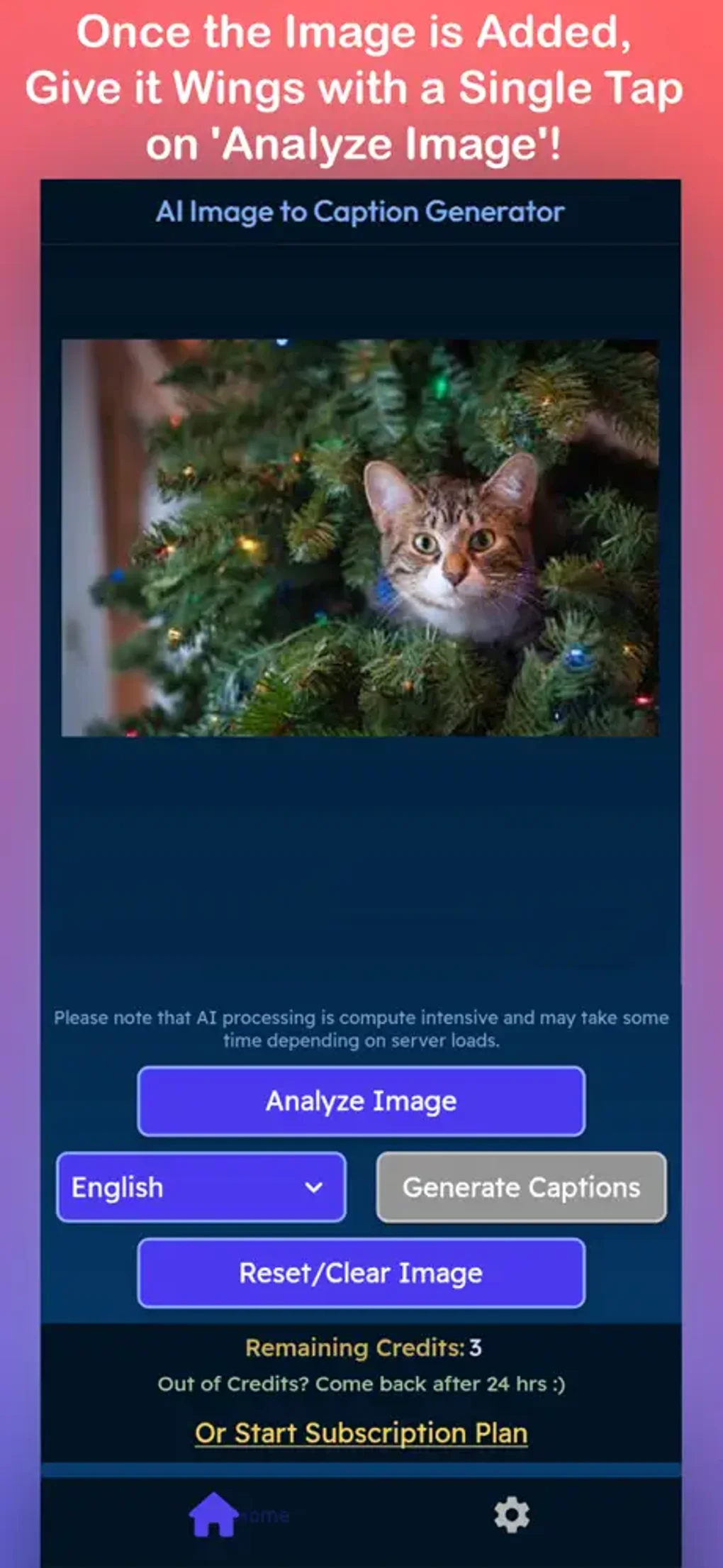
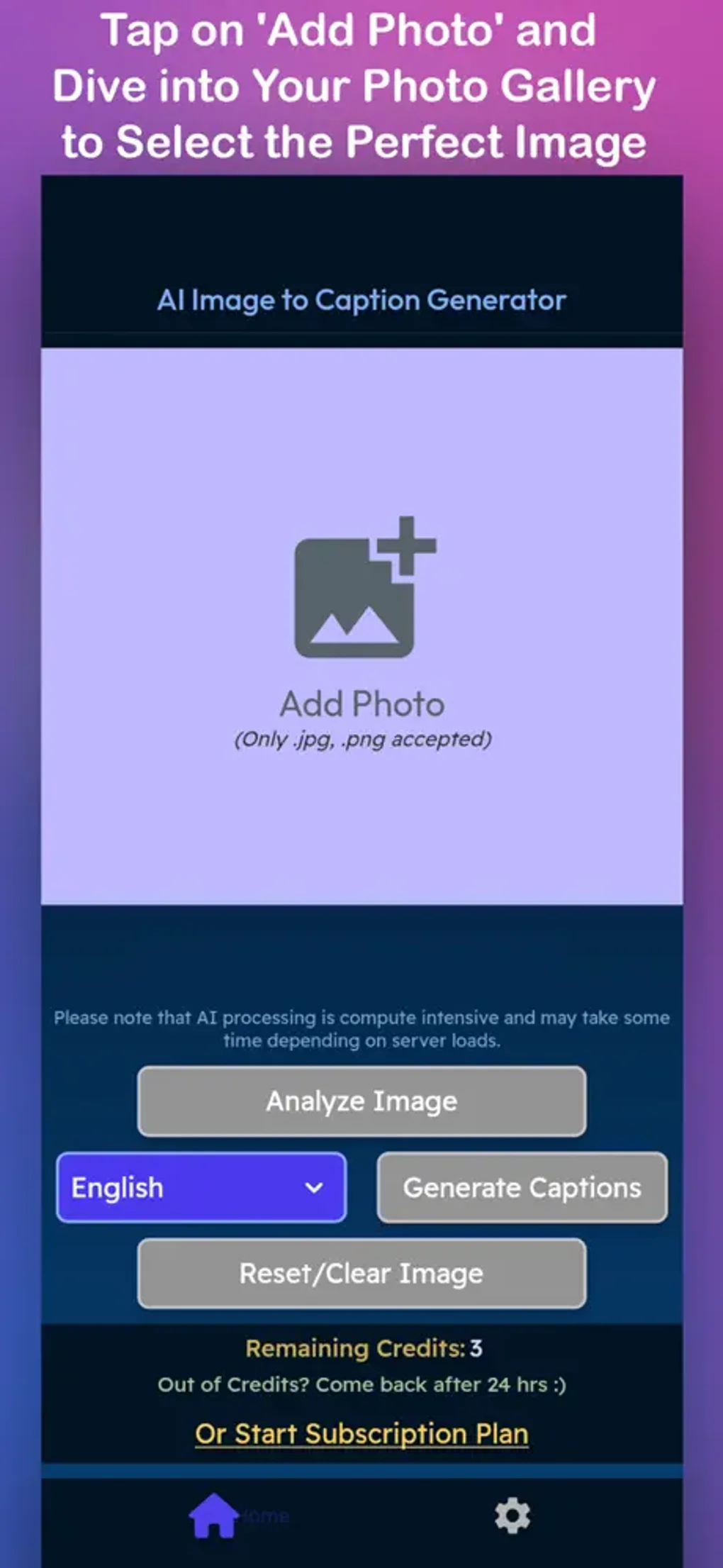
- Upload Your Image: Drag the image onto the designated drop zone or click “Browse” to select a file from your computer, mobile device, or cloud storage (Google Drive, Dropbox). Supported formats include JPEG, PNG, GIF, and WebP, up to 10 MB each.
- Select Caption Settings: Choose the desired tone, language, and whether you need alt‑text. For batch uploads, set the CSV delimiter and optional prefix.
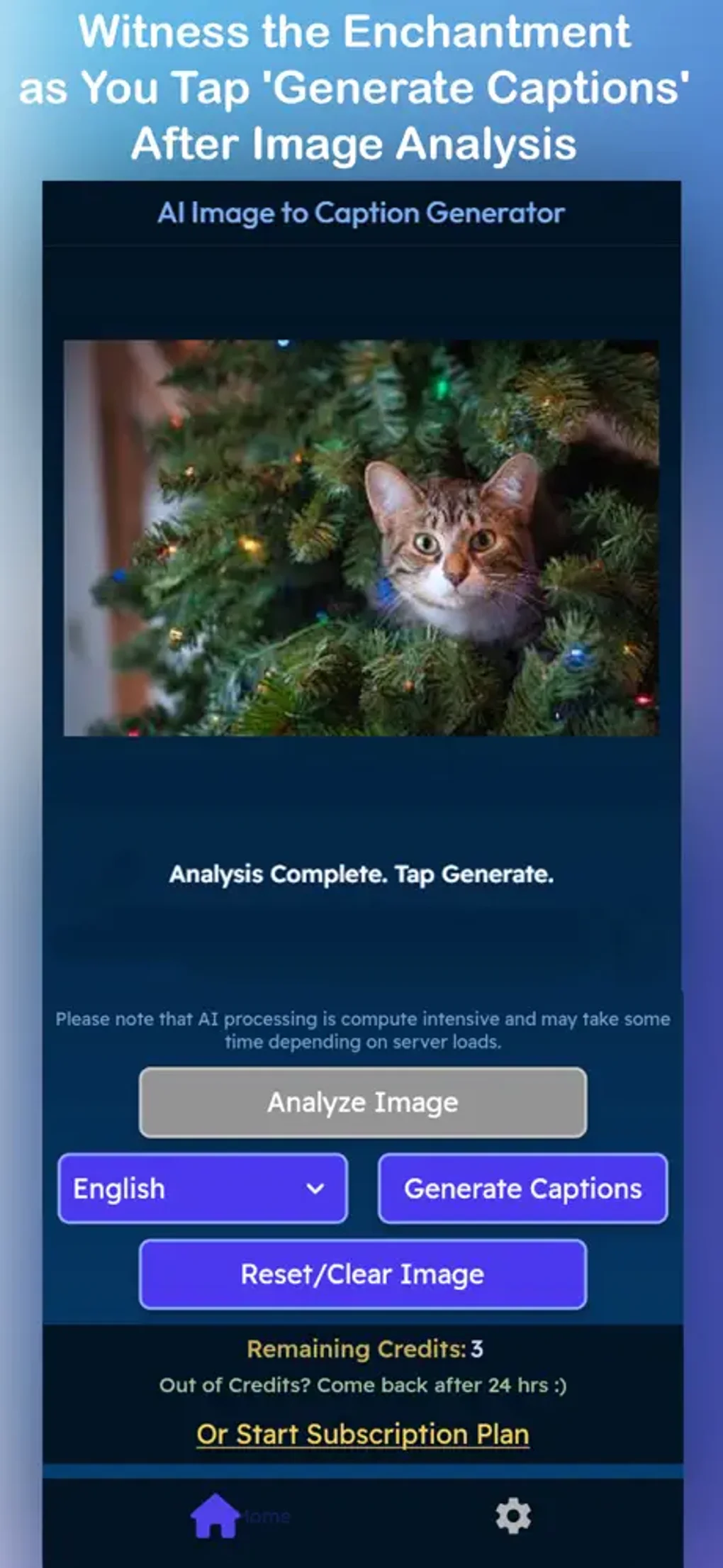
- Generate Caption: Press the “Generate” button. The AI processes the visual data and returns a caption in a text box below the upload area. You’ll see a progress indicator while the model runs.
- Copy or Export: Click the copy icon to paste the caption directly into your document, or use the “Download CSV” button for batch results. If you’re using the API, retrieve the JSON response via your API key.
- Iterate if Needed: If the first caption isn’t perfect, click “Regenerate” for an alternative suggestion. The system can produce up to three variations per image.
For developers, the API documentation provides curl examples and SDKs for Python, Node.js, and PHP. Authentication is handled via a bearer token, and rate limits are generous for paid plans. The entire workflow—from image upload to caption delivery—takes less than a second on average, making it ideal for real‑time applications such as chatbots or automated publishing pipelines.
Совместимость, плюсы и минусы
Supported Platforms: Because the service runs in a browser, it works on any operating system that can launch a modern web browser, including Windows 10/11, macOS Ventura, Linux distributions, iOS 16+, and Android 13. Mobile users benefit from a responsive design that adapts to small screens without sacrificing functionality.
Плюсы
- Fast, AI‑driven caption creation that eliminates manual writing.
- Multi‑language and tone customization for diverse audiences.
- Secure, encrypted processing with automatic image deletion.
- Free tier available; premium plans are competitively priced.
- Batch mode and API integration streamline large‑scale workflows.
- SEO‑focused output improves discoverability of visual content.
Минусы
- Internet connection required; offline use is not supported.
- Complex images with abstract concepts may produce generic captions.
- Free tier limits daily usage to 50 images per day.
- API access requires a paid subscription after a 30‑day trial.
- Currently no native desktop app for Windows or macOS.
Часто задаваемые вопросы и заключительные мысли
Как ИИ генерирует подписи?
The system uses a transformer‑based vision‑language model trained on millions of image‑caption pairs. It extracts visual features, maps them to semantic concepts, and then formulates a natural‑language sentence that best describes the scene.
Хранится ли загруженное мной изображение постоянно?
No. Images are encrypted during transmission, processed in memory, and automatically deleted from the server within 30 minutes after caption generation.
Могу ли я использовать инструмент для коммерческих проектов?
Absolutely. Both the free tier (with attribution) and paid plans permit commercial usage. The premium plans remove attribution requirements and provide higher usage limits.
Какие языки поддерживаются для вывода подписей?
The current version supports English, Spanish, French, German, Italian, Portuguese, Dutch, Russian, Japanese, and Korean. Additional languages are being added based on user demand.
Как интегрировать генератор подписей в мою существующую CMS?
Use the provided RESTful API. After obtaining an API key from your account dashboard, send a POST request with the image binary (or URL) and desired parameters. The response returns a JSON object containing the caption and optional alt‑text.
Заключение и призыв к действию
The Image to Caption Generator fills a clear gap in the content‑creation workflow by delivering accurate, SEO‑aware captions at the click of a button. Its AI backbone ensures that even users without copy‑writing expertise can produce professional‑grade descriptions for social media, blogs, and educational material. While an internet connection is required and the free tier imposes modest limits, the overall value—especially for teams handling large volumes of visual content—far outweighs these minor drawbacks. If you’re ready to boost engagement, improve accessibility, and streamline your publishing pipeline, download the Image to Caption Generator now and start generating captions that speak to both people and search engines.
- Pros: Fast, accurate, multi‑language, API ready.
- Cons: No offline mode, free tier limits.






